FreeCAD · Web
FreeCAD, the full parametric CAD suite, cross-compiled to WebAssembly and running in the browser.
- 25+CAD workbenches in the browser
- 5native runtimes fused into one binary
- Python3.13 embedded, numpy included
- Qt 6.9the real desktop GUI
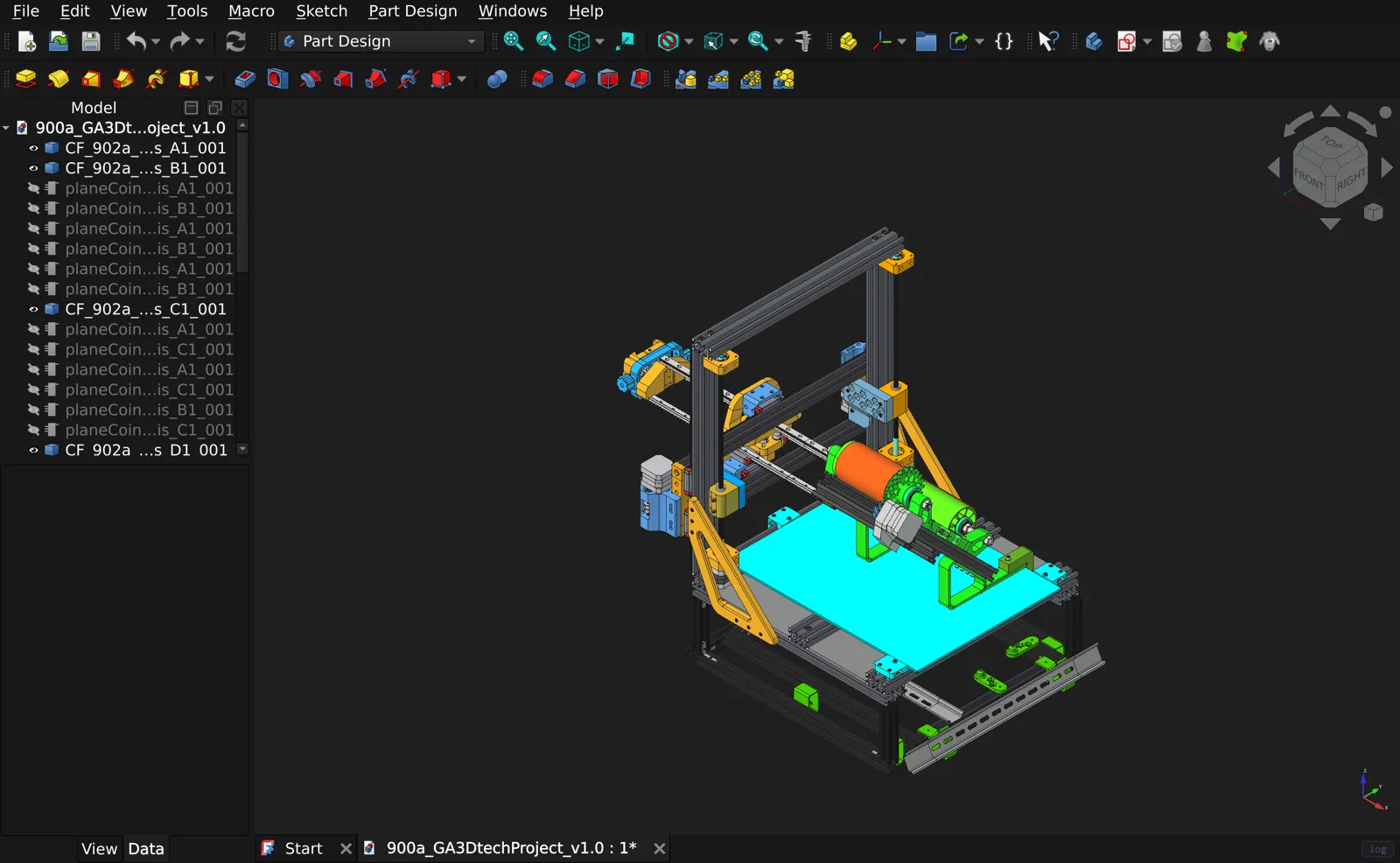
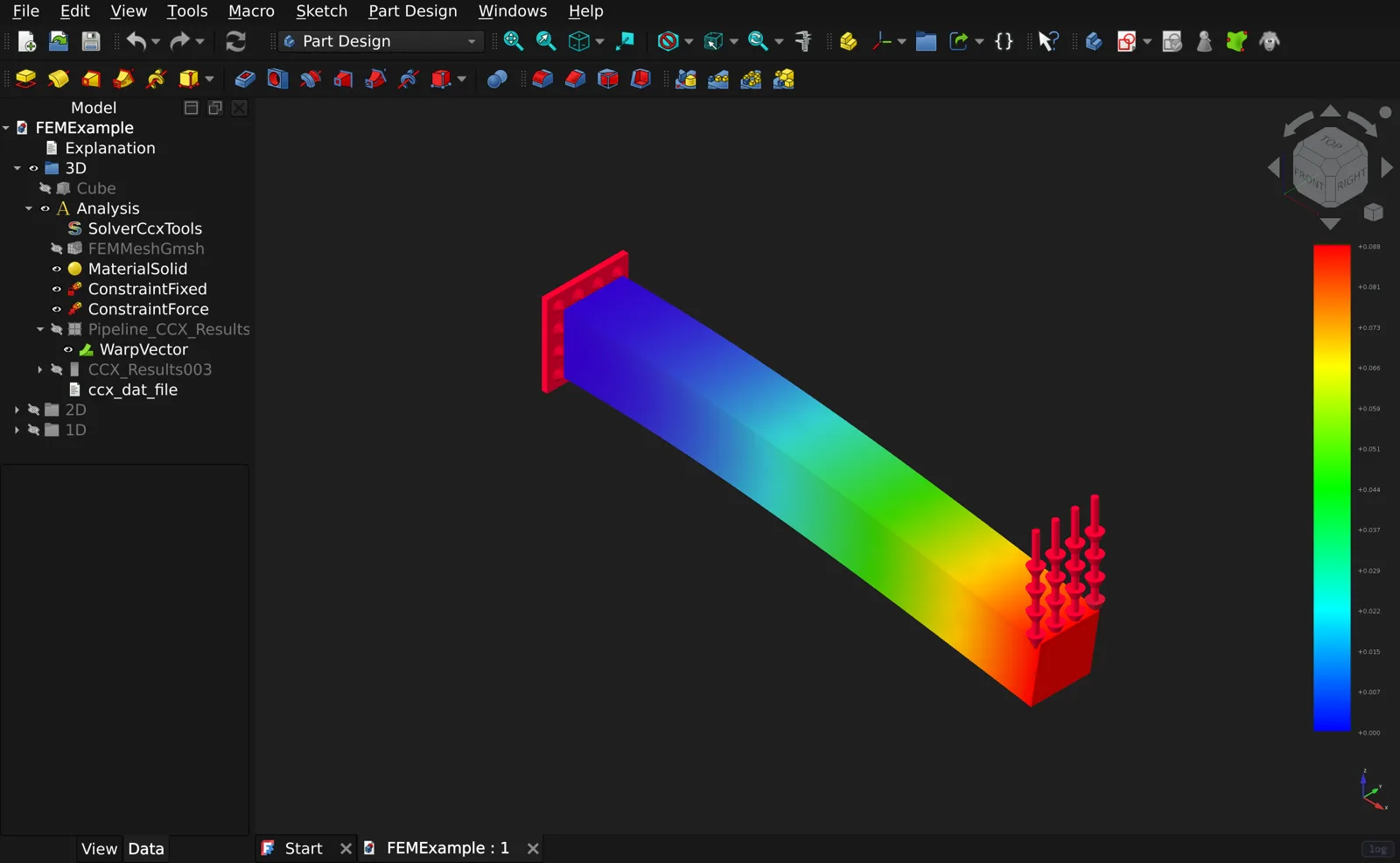
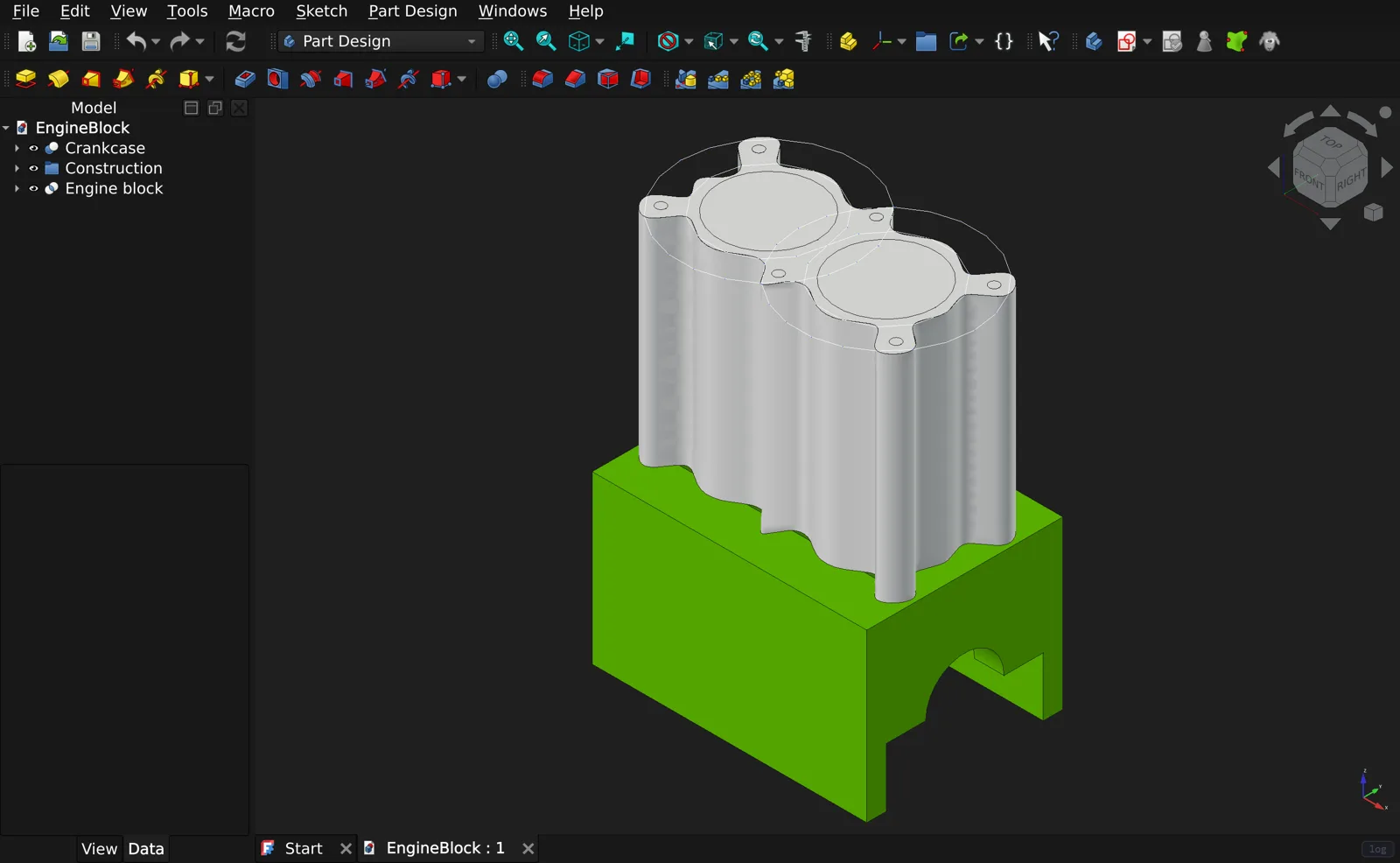
FreeCAD · Web is the most top-heavy of my browser ports. FreeCAD is not one program so much as a tower of them: a geometry kernel, a Python interpreter, a 3D scene engine, and a full Qt desktop, each a large native library in its own right. Getting it into a browser meant cross-compiling every layer of that tower to WebAssembly and fusing them into a single binary, then making a fixed-function 3D pipeline and a desktop GUI framework behave inside a tab.
The whole CAD suite, in a browser tab
This is the real FreeCAD, the full parametric CAD suite, cross-compiled to WebAssembly with Emscripten and booting the actual Qt desktop in a browser tab. It carries roughly twenty-five workbenches, Part, Part Design, Sketcher, Draft, BIM, FEM, CAM, TechDraw, and the rest, on top of the OpenCASCADE 7.8 geometry kernel, an embedded CPython 3.13, and Qt 6.9. There are two builds: a lean headless one for scripting, and the full GUI, whose module weighs in near 290 MB. A built-in self-test scripts the kernel end to end, creating a document, a parametric box, and fitting it in an isometric 3D view, to prove that the geometry and the viewport both work.
A tower of native runtimes, fused into one binary
FreeCAD depends on a stack of heavyweight native libraries that normally load as separate shared objects at runtime. In the browser there is no dynamic loading, so every one is cross-compiled to a static WebAssembly archive and linked into a single module. OpenCASCADE, the geometry kernel, is built headless on its GLES2 backend, with its one hard dependency, FreeType, coming from an Emscripten port. A complete CPython 3.13 is cross-compiled through its two-stage host-then-target build, then rebuilt a second time with threads enabled so it can join the multithreaded link. Coin3D, with its pivy Python bindings, provides the 3D scene graph in place of OpenCASCADE's own viewer. Qt 6.9 for WebAssembly provides the desktop. PySide6 and its shiboken generator are built for the target too, their archives re-created with the WebAssembly archiver because the ones the normal build produces are rejected by the linker. Fusing all of it into one binary, behind a single allocator and one thread pool, is most of the work.
Python in the browser, numpy and all
The embedded Python is not a token: it is a full CPython 3.13 that genuinely runs, numpy included. Because nothing can be loaded dynamically, the entire Python standard library is baked into the virtual filesystem at build time, and every C extension module, FreeCAD's own Part, Sketcher, and FEM, plus Shiboken and the Qt bindings, is registered as a built-in at startup rather than imported from a shared object. numpy was the interesting one: its C code imports itself by dotted name, which a built-in table cannot normally express, so the full dotted names are registered, a small import hook lets Python resolve them, and a duplicate-initialization guard keeps its CPU-feature detection from aborting when the static startup runs it more than once. A bridge function is exported so the page, and the in-app console, can run arbitrary Python.
The Emscripten link
The link is configured by hand. The heap starts at one gigabyte and can grow to four, with a 32 MB main stack and 16 MB per worker thread across a pool of sixteen. Exceptions are the JavaScript kind. Graphics target WebGL2, but with the legacy fixed-function emulation turned on, because Coin3D draws the old way. Compilation runs at a moderate optimization level and the link is dialed down a notch, because higher settings on a binary this size are unstable. Notably, the asynchronous-unwinding feature that most Qt-for-web apps rely on is left off entirely, and the project removes the nested loops that would have needed it instead.
GUI on the main thread, headless on a worker
A single decision shapes the whole build. Qt for WebAssembly runs its event loop on the browser main thread, so the GUI build must not move the program onto a worker. The headless build does the opposite: because the geometry kernel blocks on worker threads, it is proxied onto a worker so those blocking calls do not freeze the tab. GUI on the main thread, headless on a worker, is the single most important structural choice in the port.
Two canvases, hand-composited
The 3D view is the strangest part. Qt for WebAssembly will not composite the Coin3D scene onto the page, so the project draws it itself. It hooks the browser graphics calls, recognizes Coin3D by a signature in its shaders, reads the rendered pixels back from Coin3D's frame buffer on every animation frame, flips them the right way up, and paints them onto a second canvas layered directly over the Qt one, completely outside Qt's own compositor. It is a hand-built overlay renderer that exists purely because the framework would not draw the picture.
Fixed-function OpenGL on WebGL2
Coin3D predates modern shader pipelines and draws with fixed-function OpenGL, which WebGL2 does not have. Emscripten's legacy emulation bridges most of it, but the generated glue had to be patched by hand to survive Qt's multi-context world: initializing the emulation when Qt makes a context current, since Qt never fires the callback that normally triggers it; giving each context its own scratch buffers; filling in material, normal, and lighting-model calls the emulation lacked; and adding an ambient-light floor so models are not pitch black. The window is also forced to a depth-and-stencil format, without which the geometry never resolves on screen.
Surviving an event loop that never returns
On the web, Qt's event loop does not block; the call that runs it unwinds all the way back to the browser, and the stack frame that held the application object is then reused for something else. Any application object left on that stack has its memory scribbled while events still point at it, which showed up as unaligned-atomic and out-of-bounds crashes just after startup. The fix is to heap-allocate and deliberately leak the application, the GUI singleton, and the main window so they outlive the unwind, and to wrap Qt's event-posting so it sanitizes events against objects that have already been freed. The splash screen, which deleted itself mid-startup and left dangling events, is simply removed. And when a static constructor deep in one workbench writes through a null pointer and trips the runtime memory-corruption guard, the guard sentinel is detected and restored rather than letting the whole app abort.
No asynchronous unwinding, by design
Most Qt-for-web ports reach for the asynchronous-unwinding feature to make blocking dialogs work, at a real cost in size and speed. This port refuses it and removes the blocking loops instead. A workbench-load error that would have popped a modal box becomes a console message; a camera animation that spun a timer loop is set directly to its final position. Fewer nested loops means the binary can stay smaller and simpler.
Data, saves, and shipping
The Python standard library, the workbenches, and their resources, down to the building-information presets a workbench refuses to load without, are all baked into the virtual filesystem at build time. Your documents and settings live in browser-backed storage that is restored before the app starts and flushed periodically and on tab hide, so your work survives a reload. And, like the game-engine ports, the whole thing needs the page to be cross-origin isolated for its threads, so the server sets the required headers on every response.
Stack
- C++
- Python 3.13
- Emscripten 3.1.70
- OpenCASCADE 7.8
- Qt 6.9
- Coin3D / pivy
- PySide6
- WebGL2
- pthreads
- NumPy
- IndexedDB
- CalculiX
- wasm64